Choosing a WordPress theme looks simple until you realize how much your theme affects speed, design, SEO, mobile usability, plugin compatibility, and future website growth. A good theme can make your website easier to manage, while a poor theme can slow down your site and make simple changes feel difficult. This WordPress theme checklist 2026 from UploadBlog Review will help beginners, bloggers, and small website owners choose a smarter theme with more confidence.
At uploadblogreview.com, we focus on practical website decisions. A WordPress theme should not only look beautiful. A theme should also support your content, load quickly, work on mobile, match your brand, and give you room to grow without forcing you to rebuild the whole site later.
Quick answer: choose a WordPress theme that is lightweight, responsive, regularly updated, easy to customize, compatible with important plugins, and flexible enough for your content plan.
Why Your WordPress Theme Matters in 2026
A WordPress theme controls the visual foundation of your website. It affects your header, footer, blog archive, single post layout, typography, spacing, button styles, and sometimes even performance. If your theme is heavy or poorly structured, your website can feel slow before you publish a single article.
Your theme also affects trust. A blog with clean spacing, readable fonts, fast pages, and clear navigation feels more professional. A cluttered theme with too many animations, unnecessary sliders, and confusing menus can push readers away. This is why theme selection should happen before you spend time creating dozens of pages.
If you are building your website step by step, first review the Start Here guide on UploadBlog Review. It helps you understand the basic path before choosing plugins, SEO tools, hosting, and other website resources.
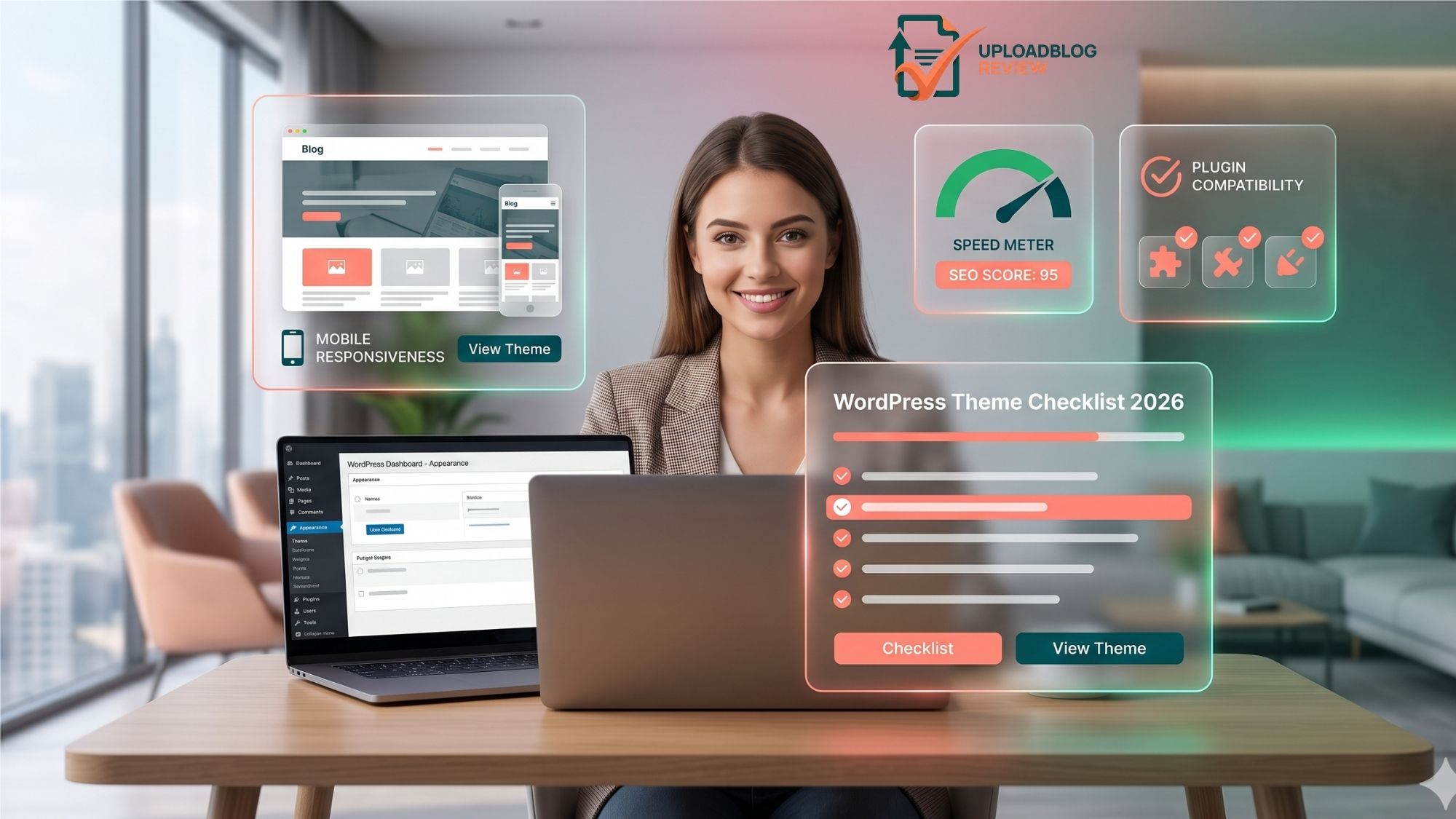
WordPress Theme Checklist 2026
Use this checklist before installing or buying any theme. It will save time and prevent common beginner mistakes.
- Lightweight performance: The theme should load fast and avoid unnecessary scripts, sliders, animations, or bundled features you do not need.
- Mobile responsiveness: The design should look clean on mobile, tablet, and desktop without broken spacing or unreadable text.
- SEO-friendly structure: The theme should support clean headings, fast loading, schema compatibility, breadcrumbs, and readable content layouts.
- Easy customization: You should be able to edit colors, fonts, layout spacing, header, footer, and blog templates without complex code.
- Plugin compatibility: The theme should work smoothly with SEO plugins, cache plugins, contact forms, page builders, and security plugins.
- Regular updates: A theme that is updated regularly is usually safer and more likely to stay compatible with WordPress core changes.
- Clean design: The theme should match your brand and make your content easy to read instead of hiding it behind visual clutter.
- Support and documentation: Good support and clear documentation matter when you face setup issues or need quick guidance.
Choose a Theme That Matches Your Website Goal
A blogger, affiliate marketer, SaaS review website, local business, and portfolio site do not need the same theme setup. Before choosing a theme, decide what your website needs to do first. A review website like UploadBlog Review needs strong blog layouts, comparison sections, clear category pages, author-friendly single posts, and space for internal links.
For a content-heavy website, choose a theme that makes articles easy to read. For a service website, choose a theme with strong landing page sections. For a product review website, choose a theme that supports cards, tables, pros and cons blocks, CTA sections, and comparison layouts.
Free Theme vs Premium Theme: Which One Should You Choose?
A free theme can be enough for a new blog if it is lightweight, updated, and flexible. Many beginners do not need a premium theme on day one. However, a premium theme can be useful when you need more design control, starter templates, advanced layout settings, better support, or faster customization.
| Option | Best For | Watch Out For |
| Free Theme | New blogs, small websites, testing a niche, basic content publishing. | Limited design options, fewer templates, slower support, or upsell restrictions. |
| Premium Theme | Brand-focused websites, business blogs, review websites, long-term projects. | Extra settings can become confusing if you do not need them. |
Classic Theme vs Block Theme
WordPress now supports both classic themes and block themes. The official WordPress Theme Developer Handbook explains that classic themes primarily use PHP, JavaScript, and CSS, while block themes are built around blocks and Site Editor workflows. This is the outgoing reference link for this article.
For beginners, the better choice depends on comfort level. Classic themes can feel familiar and stable, especially with themes like Astra-style setups. Block themes give more visual control inside the Site Editor, but some beginners may need time to understand templates, patterns, and global styles.
If you want a simple content website, either option can work. The important point is not the label. The important point is whether the theme helps you publish faster, keep pages clean, and avoid unnecessary bloat.
Design and Branding Checks Before Installing a Theme
A theme should match your brand without requiring too many changes. If your brand uses Mid Green #025259 and Salmon #ff947a, your theme should allow easy color changes for buttons, links, headings, cards, and hover states.
- Check if the theme supports your brand colors globally.
- Check whether buttons, links, and headings are easy to customize.
- Check blog card layouts, category pages, single post templates, and homepage sections.
- Check if the theme looks professional without too many stock sections.
- Check whether the theme allows full-width sections if your homepage design needs them.
Performance Checks for a WordPress Theme
Speed matters because visitors do not want to wait. A theme can look impressive in a demo but still be heavy in real use. Before choosing a theme, check how many scripts, animations, icon libraries, and layout features it loads by default.
If your site already uses cache and optimization tools, theme quality still matters. A cache plugin can help, but it cannot fully fix a bloated design. For deeper performance planning, browse the SEO category on uploadblogreview.com because theme speed, technical SEO, and content ranking are connected.
- Open the theme demo on mobile and desktop.
- Look for heavy sliders, large background videos, or too many moving sections.
- Check if the theme works well with your cache plugin.
- Avoid themes that require many extra plugins for basic design features.
- Choose simple layouts first, then add design effects only where needed.
Mobile-Friendly Theme Checks
Most readers will visit your website on mobile at some point. A theme must look clean on small screens. Check the header menu, buttons, table layouts, images, author boxes, related posts, and category cards before you commit to a theme.
Mobile design should not be an afterthought. If a theme demo looks beautiful on desktop but messy on mobile, you will spend extra time fixing spacing, font size, button alignment, and content flow.
Plugin Compatibility Checks
Plugins add functionality, while themes control design. A good WordPress theme should not fight your plugins. Your theme should work well with SEO plugins, form plugins, cache plugins, security plugins, table plugins, affiliate link tools, and page builder tools if you use them.
For plugin ideas, check the Plugin Reviews category. Choosing the right plugins after choosing the right theme makes your website easier to manage.
SEO Checks Before Choosing a WordPress Theme
A theme should help search engines understand your content structure. It should not create messy heading hierarchy, duplicate H1 tags, hidden content, or overly complex layouts. The theme should support readable blog posts, clean category archives, breadcrumbs, and internal linking.
For a review website, internal linking is very important. Your WordPress theme should make it easy to link from posts to category pages, from category pages to related posts, and from homepage sections to important resources. This is why UploadBlog Review focuses on clear navigation and category-based content planning.
Common Theme Mistakes Beginners Should Avoid
- Choosing only by demo design: A demo may use premium images, paid plugins, and perfect sample content that your website will not have.
- Installing too many starter templates: Extra templates can create unused pages, media files, and design confusion.
- Ignoring mobile layout: A theme must be checked on real mobile screens, not only desktop preview.
- Using a heavy theme for a simple blog: A simple content website does not need a theme filled with complex effects.
- Changing themes too often: Frequent theme changes can break layouts, widgets, menus, and design consistency.
Best Theme Setup for a Blog or Review Website
A blog or review website needs a clean homepage, readable posts, organized categories, and easy navigation. The theme should support featured images, table styling, author sections, related posts, and flexible page layouts.
If your website reviews tools, hosting, plugins, or SaaS products, you should also keep comparison pages in mind. Browse the Comparisons category to plan how future comparison content can connect with your WordPress category and other review sections.
Hosting also matters because even a good theme needs a stable server. For more setup planning, visit the Hosting Reviews category on uploadblogreview.com.
Final Verdict: What Theme Should You Choose?
Choose a theme that matches your website goal, keeps your pages fast, looks clean on mobile, supports your brand colors, and works smoothly with the plugins you need. Do not chase every visual effect. A simple, fast, readable, and flexible theme usually wins for long-term content growth.
For most beginners, the best WordPress theme is not the most dramatic demo. The best theme is the one that helps you publish consistently, organize content clearly, and grow without creating technical problems. That is the kind of practical decision uploadblogreview.com is built to support.
FAQs About Choosing a WordPress Theme
What is the most important thing to check before choosing a WordPress theme?
The most important checks are speed, mobile responsiveness, update history, plugin compatibility, and ease of customization. A theme should support your website goal instead of making simple tasks harder.
Should beginners use a free or premium WordPress theme?
Beginners can start with a free theme if it is lightweight and reliable. A premium theme is useful when you need more design control, templates, support, and long-term flexibility.
Are block themes better than classic themes?
Block themes offer more visual editing through the Site Editor, while classic themes can feel familiar and stable. The better choice depends on your comfort level and website needs.
Can a WordPress theme affect SEO?
Yes. A theme can affect page speed, heading structure, mobile usability, layout clarity, and user experience. These factors can support or hurt SEO performance.
How often should I change my WordPress theme?
You should avoid changing themes too often. Change your theme only when your current theme limits growth, creates speed issues, lacks support, or no longer matches your website plan.